You know where your studio is, what each facial involves and which appointment a new client should choose. When someone lands on your Instagram profile for the first time, they’re still working all of that out.
A few clear details can make that first visit to your profile easier. We’ll look at an example together, then check your bio, Highlights and booking link so a potential client can find the answers they need.
Look at your profile as a new client
Try putting yourself in the position of someone who has just found you through a post or recommendation. These are four questions they should be able to answer without reading back through your feed:
Your services and speciality.
Your suburb or city.
Your first-visit option.
One clear next step.
What does a clear esthetician Instagram profile look like?
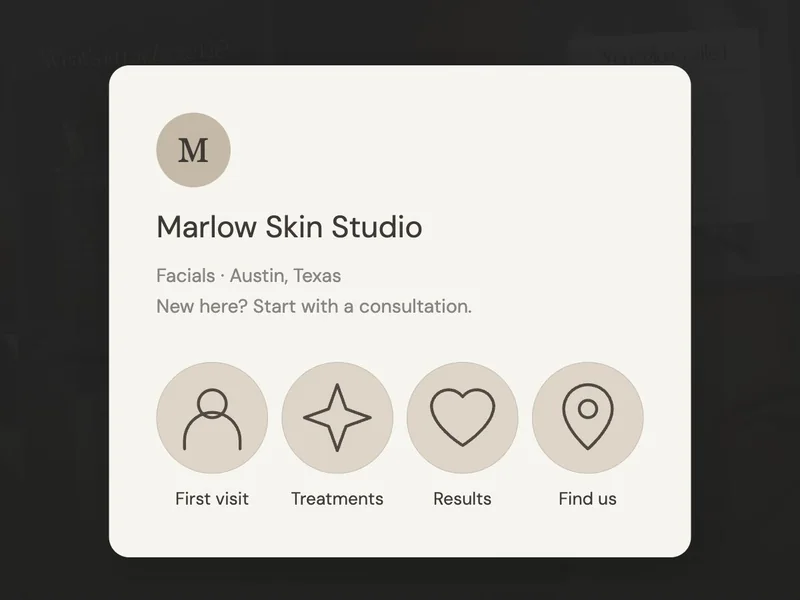
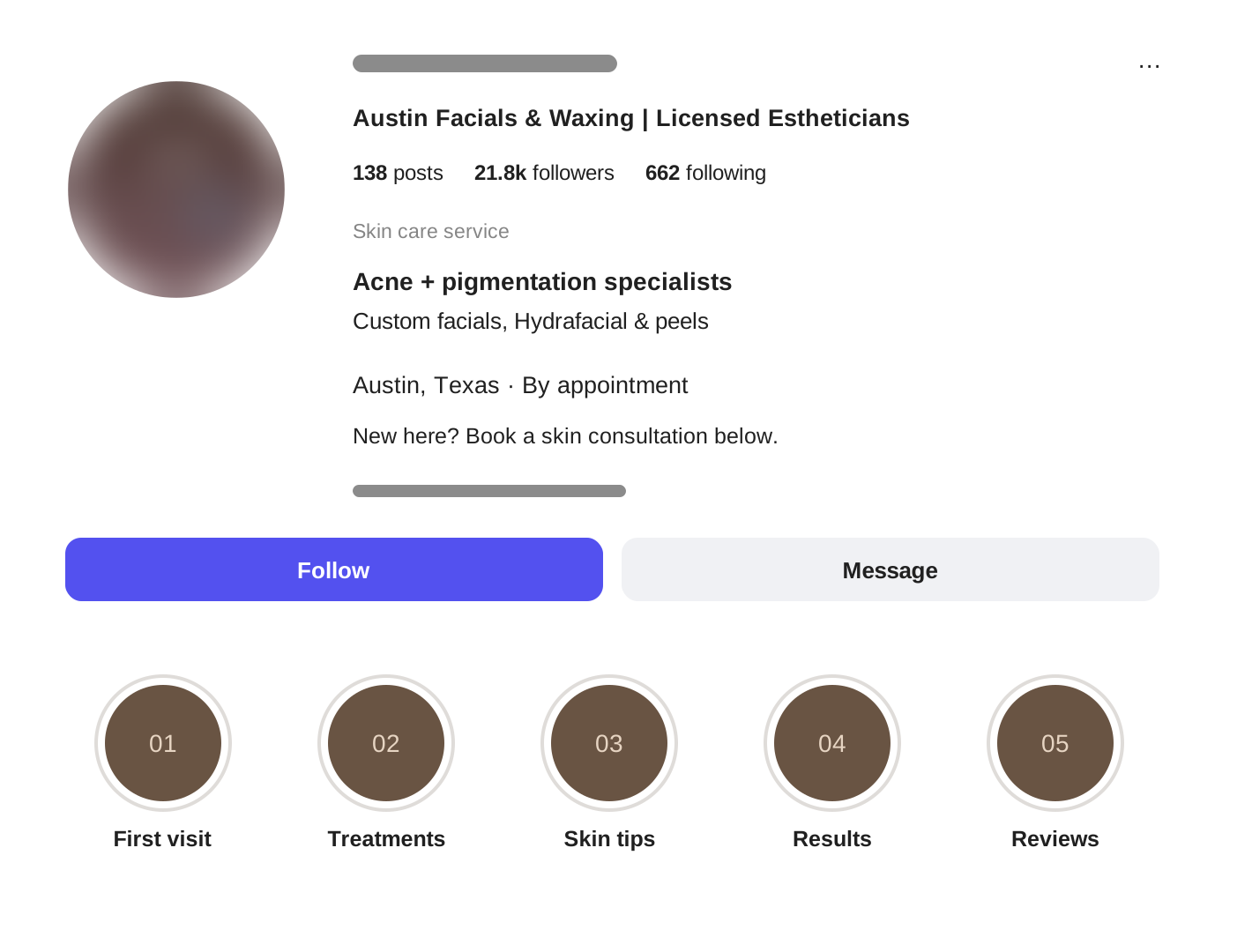
Here’s an adapted profile example with its services, speciality and location brought into view. Follow the numbers and compare each part with your own profile as you go.
Say what you do
“Facials & Waxing” tells someone which services they can ask about. “Licensed Estheticians” explains who provides them. Use wording that accurately describes your own business and qualifications.
Name your speciality
“Acne + Pigmentation Specialists” gives this example a clear focus. A visitor interested in those concerns can see why they might want to look further.
Make your location clear
“Austin, Texas” answers the practical question of where the business is. Add your own city or neighbourhood so someone can judge whether visiting you would work for them.
Answer the next questions
The labelled Highlights give first-visit information, treatments and results their own place. Someone who needs a little more detail can choose the answer they’re looking for.
What should you write in your esthetician bio?
Start with the words you use when telling someone what you do. Add your location and the first step for a new client. If you use “specialist,” make sure that description reflects your training and work. Here’s how a vague bio can become more useful:
“Your glow journey starts here. Helping you feel your best. DM us.”
“Custom facials for sensitive skin
Austin, Texas
New clients: book a skin consultation below ↓”
It’s easy to keep adding details until your bio feels crowded. Keep the introduction focused, then let the page behind your link explain the treatments and current prices.
Show what visiting you is like
Once the basic details are clear, help a visitor picture being there. Highlights and pinned posts are useful places for the small questions someone might feel awkward asking before a first appointment.

Show the room and explain the consultation.
Share your face, training and approach.
Show the entrance, address and parking details.
How do I set up Instagram Highlights?
Save useful Stories into named groups, such as “First visit” or “Results”. Follow our step-by-step Instagram Highlights guide.
Where can I find Highlight covers?
Follow our Canva Highlight cover tutorial. Choose a simple design, add your colours and keep the labels easy to read.
If you’d like to add a treatment video, you can start with footage of your work. Our Reels guide shows how to add a voiceover when you’d prefer to stay off camera.
Make the booking step easy to find
After reading your profile, someone who wants to visit should be able to see where to go next. In this example, “Book a skin consultation” is the first menu option, with “New clients: start here” underneath to help them choose.
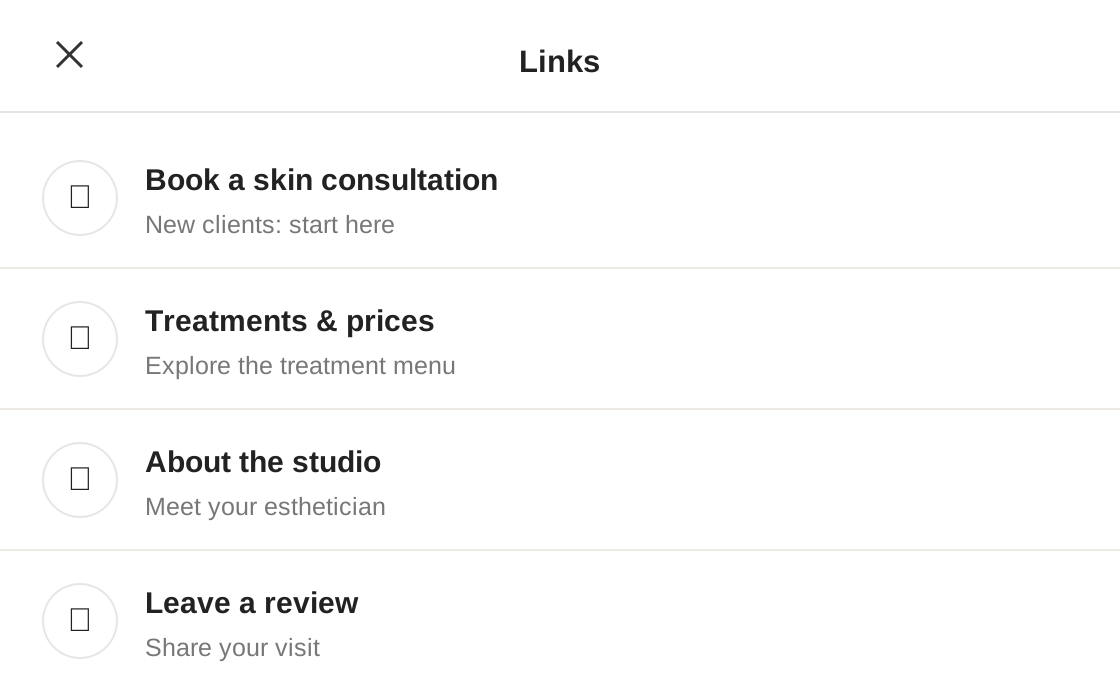
If booking appointments is your main goal, put that link first. If you need to speak with someone before they book, say so: “Message us to arrange a consultation” sets a clearer expectation.
Follow this route on your phone, including the final page. If a link is broken or the service is hard to find, start with that. You can come back to colours and covers once the route works.
Your five-minute profile check
- Your services, speciality and location are easy to find.
- A new client can tell which appointment to start with.
- Your Highlights or pinned posts show who you are and what to expect.
- Your booking link opens the right page on a phone.
- Your bio and booking menu give the same information.
You may only need to add a location, rename a link or explain the first visit. Start with the answer that’s missing, then look at the profile again. A new visitor should have a clearer sense of who you are, whether a visit is practical and how to take the next step.